Local storage and Session storage Testing

Application local and session storage

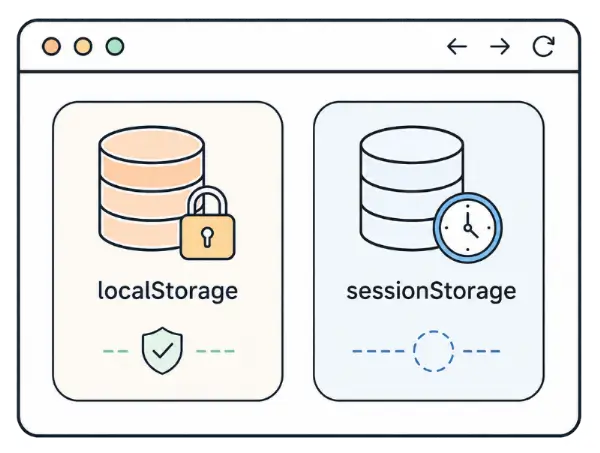
Local storage and Session storage are browser storages where frontend code can save small pieces of data without sending a request to the server.

They often store interface settings, form drafts, technical flags, temporary states, and sometimes data that should not be there.
How the storages differ

Both storages save data by key and value. The main difference is how long the data lives and where it is available.

Local storage

Local storage is best for state that should remain after closing a tab or browser.

Lifetime

Stored until manual cleanup, browser cleanup, or removal by application code.

Available in

Available to all tabs with the same origin: protocol, domain, and port match.

Best for

Interface settings, color scheme, language.

Session storage

Session storage is best for state that is needed only within the current tab.

Lifetime

Persists after page reload.

Available in

Available only in the current tab and cleared after that tab is closed.

Best for

Current form step, temporary filters, one-tab hints.

Check Local storage Session storage
Page reload stays stays
Closing the tab stays clears
New tab of the same site stays clears
Clearing through DevTools or code clears clears

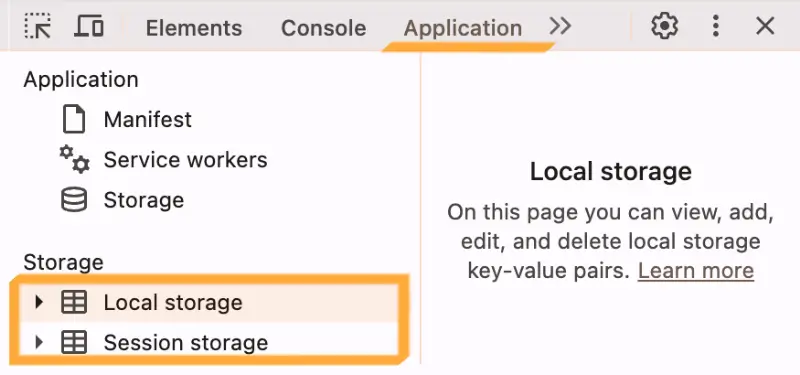
How to inspect it in DevTools

  1. Open DevTools:
    • Windows/Linux — F12 or Ctrl + Shift + I
    • macOS — F12 or Cmd + Option + I
  2. Go to the Application
  3. In the left menu, open Local storage or Session storage for the current site
DevTools Application tab with localStorage and sessionStorage

Practice with Storages

Set keys and values, then save them. Then open DevTools and find the same pairs in browser storage.

Local storage persistent

Session storage tab-only

Local storage -
Session storage -

Open this page in a new tab: Local storage will be available, while Session storage will be cleared.

Testing Checklist

Check that the expected keys appear after the user action.
Check that values match the expected format and content.
Check behavior after page reload.
Check behavior in a new tab and after closing the current tab.
Check that storage does not contain sensitive data.

Important: tokens, passwords, passport data, payment data, and other sensitive values should not be stored in browser storage.

Task
Task available to premium users!

Unlock access to learn without limits.

Full access to all practical tasks
Answer checking
Unlimited attempts
Sidebar arrow