INSERT, UPDATE, DELETE Commands
INSERT
Inserting new data into a table
To add a new row, use the keyword phrase INSERT INTO followed by the table name, and list the column names in parentheses. After the keyword VALUES list the values in the same order as the columns.
INSERT INTO table_name (column1, column2, column3, ...)
VALUES (value1, value2, value3, ...);
For example, let’s add a new row to the table named candy.
INSERT INTO candy (id, name, taste, filling)
VALUES (4, 'Galactic Joy', 'Milky Caramel', true);
The row identifier id is most often generated automatically (via database sequences) when inserting data. In that case, you shouldn’t specify it, so you don’t break the sequence.
INSERT INTO candy (name, taste, filling)
VALUES ('Galactic Joy', 'Milky Caramel', true);
UPDATE
Updating data in a table
The UPDATE command is used to modify existing rows in a table.
Specify the keyword UPDATE and the table name, then the keyword SET and list comma-separated pairs “column name = new value”. It’s important not to forget the update condition WHERE — otherwise, all rows in the table may be updated.
UPDATE table_name
SET column1 = value1, column2 = value2, ...
WHERE condition;
For example, let’s update the taste of the candy we just created with id 4 in the table candy.
UPDATE candy
SET taste = 'Vanilla'
WHERE id = 4;
DELETE
Deleting data from a table
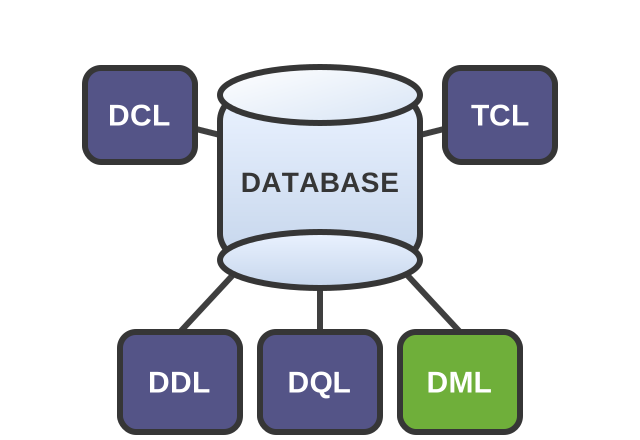
The simplest and most dangerous DML command is DELETE. It’s used to delete rows from a table.
Use the key phrase DELETE FROM and the table name, and make sure to include a WHERE condition so you don’t accidentally delete all rows.
DELETE FROM table_name
WHERE condition;
Let’s return the database to its original state by deleting the candy we created earlier from the table candy.
DELETE FROM candy
WHERE id = 4;Write an SQL query that updates the filling field for all candies in the table candy to the value false.
Logical operators are not supported by the simulator.
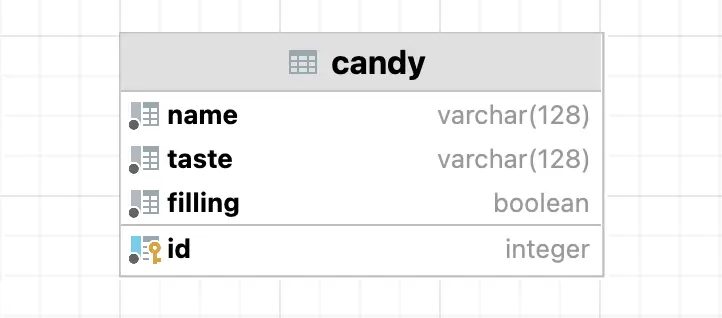
Database schema:
The result of DML queries is the number of rows affected. If you want, run SELECT and make sure the data in the table has changed. When you refresh the page, the data will be reset to its original state.
Level up!