Postman is the most popular tool for testing API today.
Postman provides a convenient graphical interface for creating HTTP requests and viewing HTTP responses, making manual testing significantly easier. Postman also offers automation capabilities.
Postman is the most popular tool for testing API today.
Postman provides a convenient graphical interface for creating HTTP requests and viewing HTTP responses, making manual testing significantly easier. Postman also offers automation capabilities.
Previously, we tested APIs in two ways:
Once you learn how to use Postman, you can rely on it as a more convenient alternative to curl when an application does not provide a graphical interface.
tester-today@pc ~ % curl \
https://www.tester-today.com/endpoint \
-H "Content-Type: application/json" \
-X POST \
-d '{"name":"Mia"}'
A request executed with the curl utility in the console.
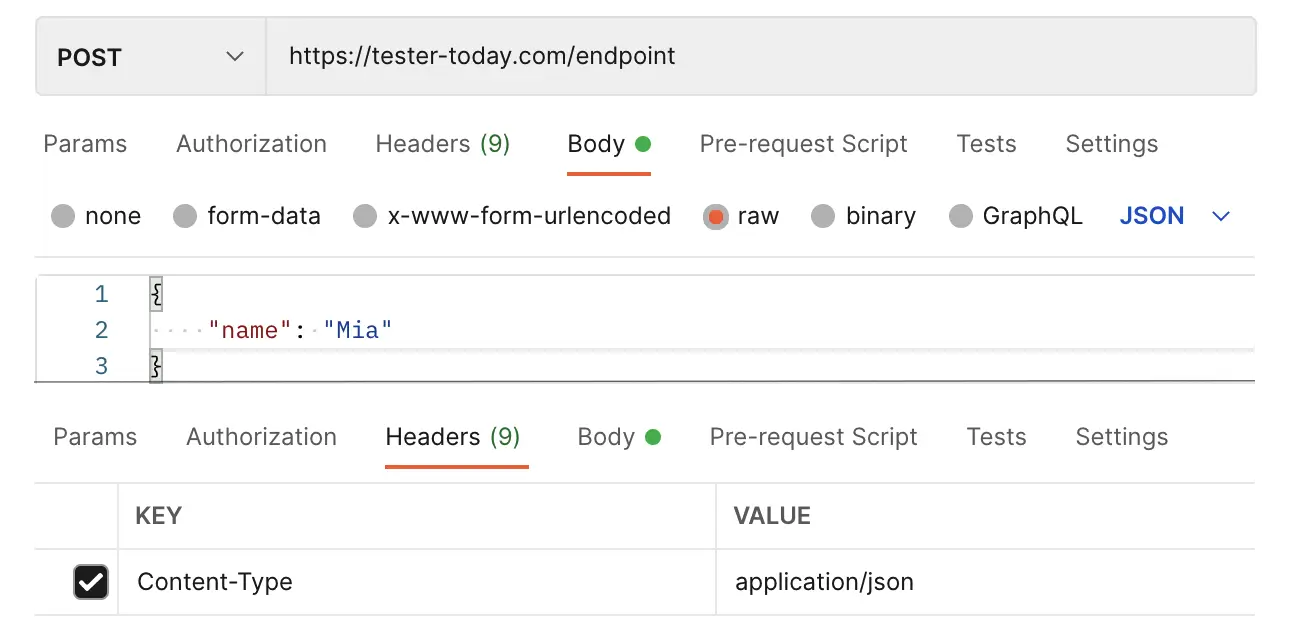
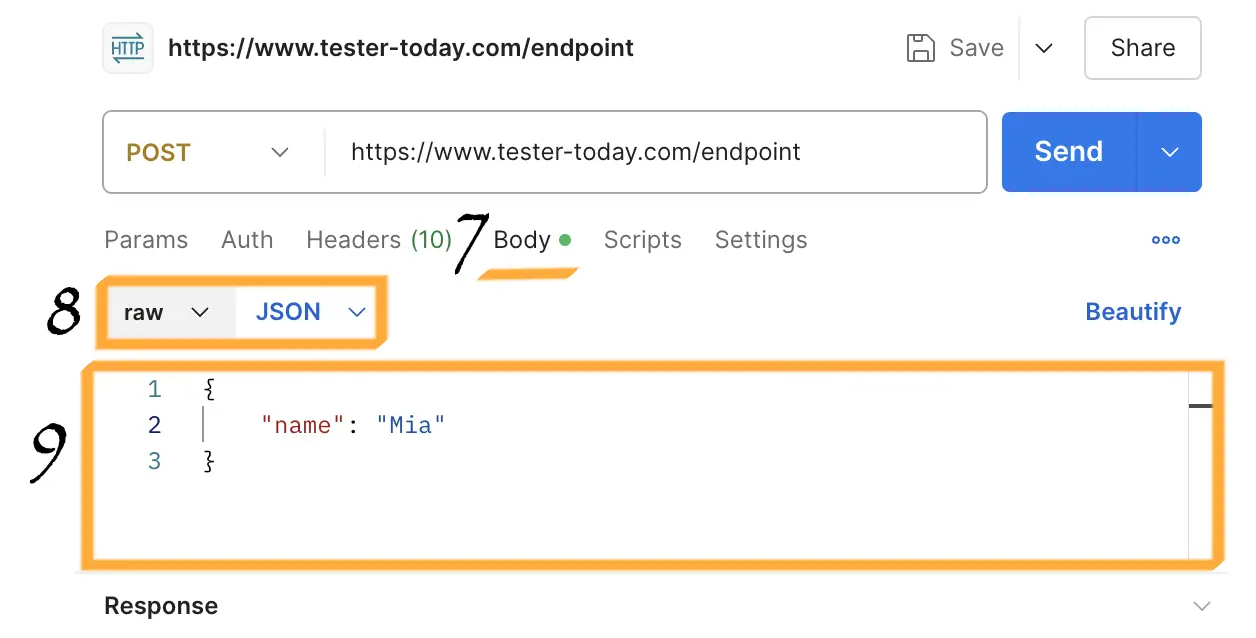
An equivalent request made using Postman’s graphical interface.
You can download Postman from the official website.
Postman is available as:
There is also the Postman Interceptor extension for Google Chrome, which works together with the desktop version and allows you to intercept browser requests and modify them if needed.
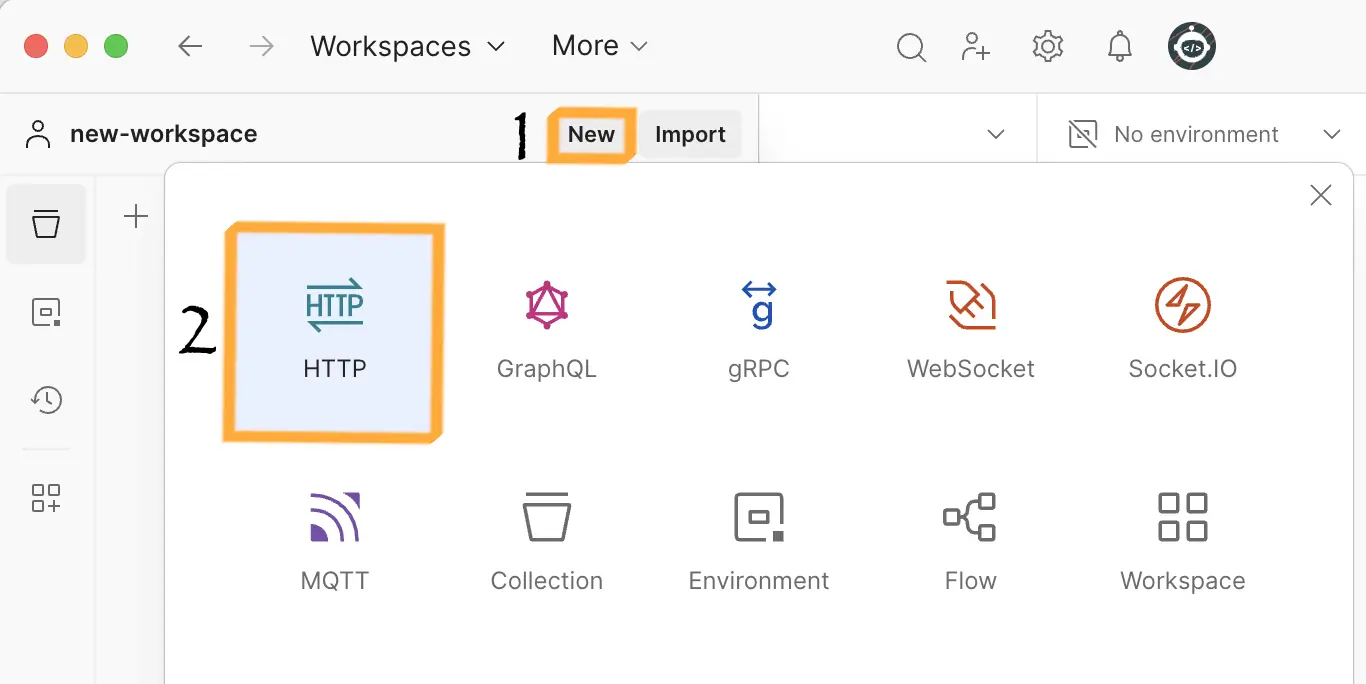
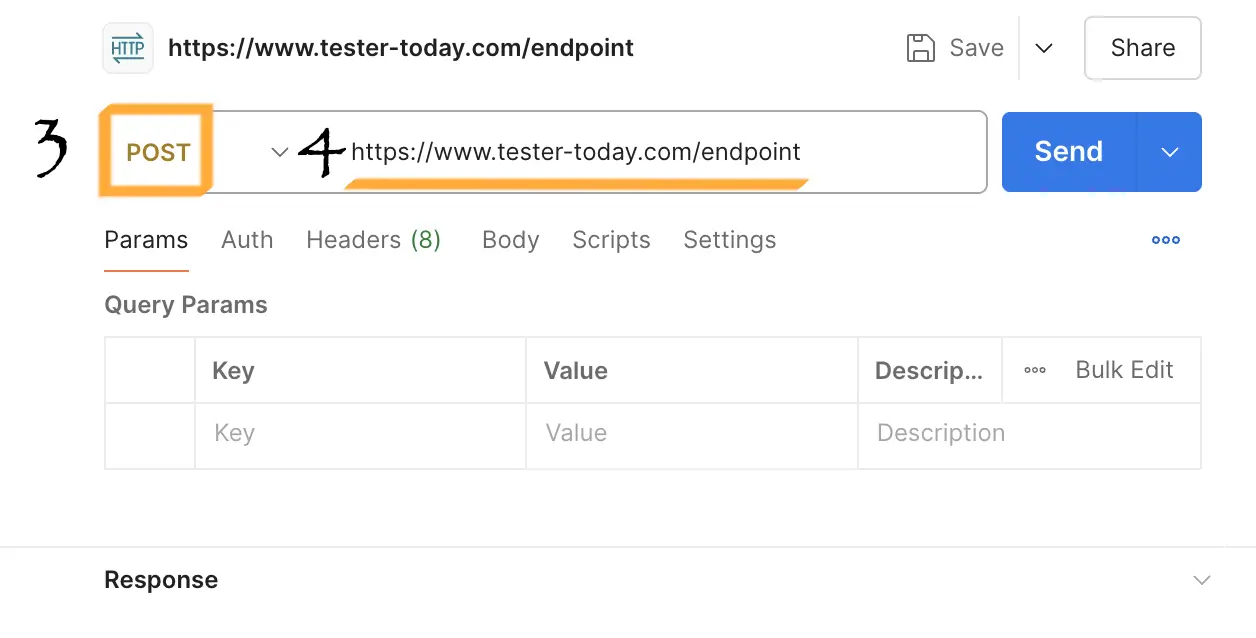
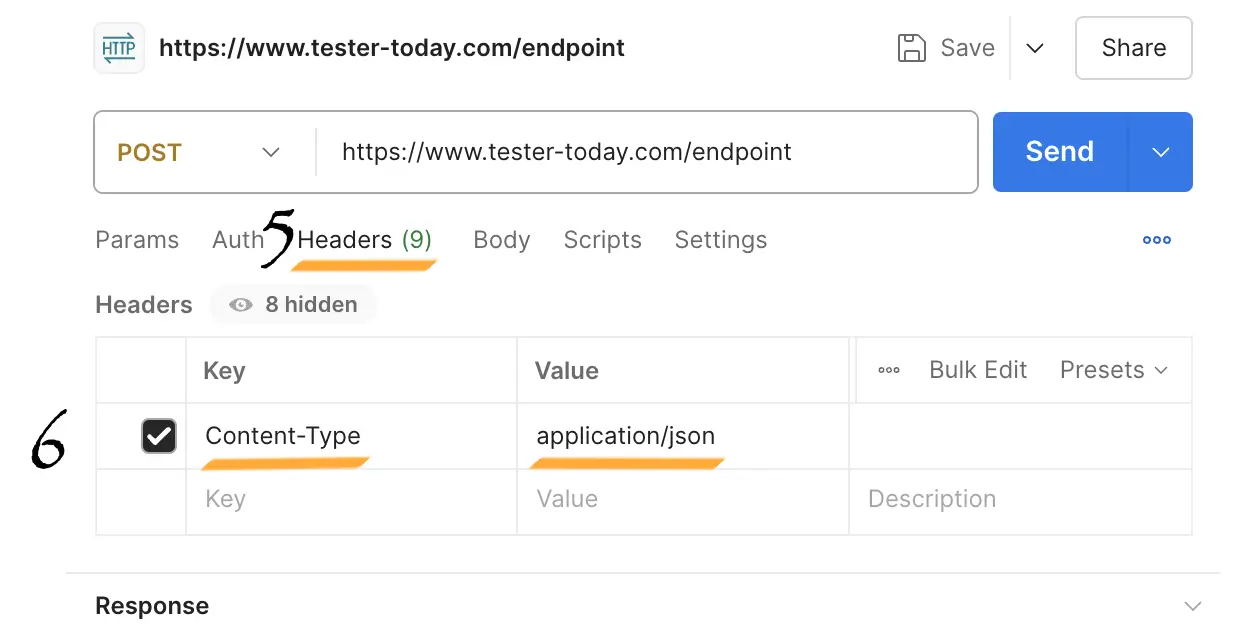
To create a request in Postman, you need to select:
Click the Now press the actual Send button in Postman
Send your first HTTP request using Postman!
Build your request based on the API specification:
Request body requirements (9):
| Field | Type | Required | Constraints |
|---|---|---|---|
| name | string | + | from 3 to 20 characters |
| quantity | number | + | from 1 to 10 |
Remember that numeric values in JSON are written without quotation marks.
In this task we are not looking for a bug — just getting familiar with a new tool

Уровень повышен!