
Let’s look at several Postman features that make the testing process even more convenient:
Let’s look at several Postman features that make the testing process even more convenient:
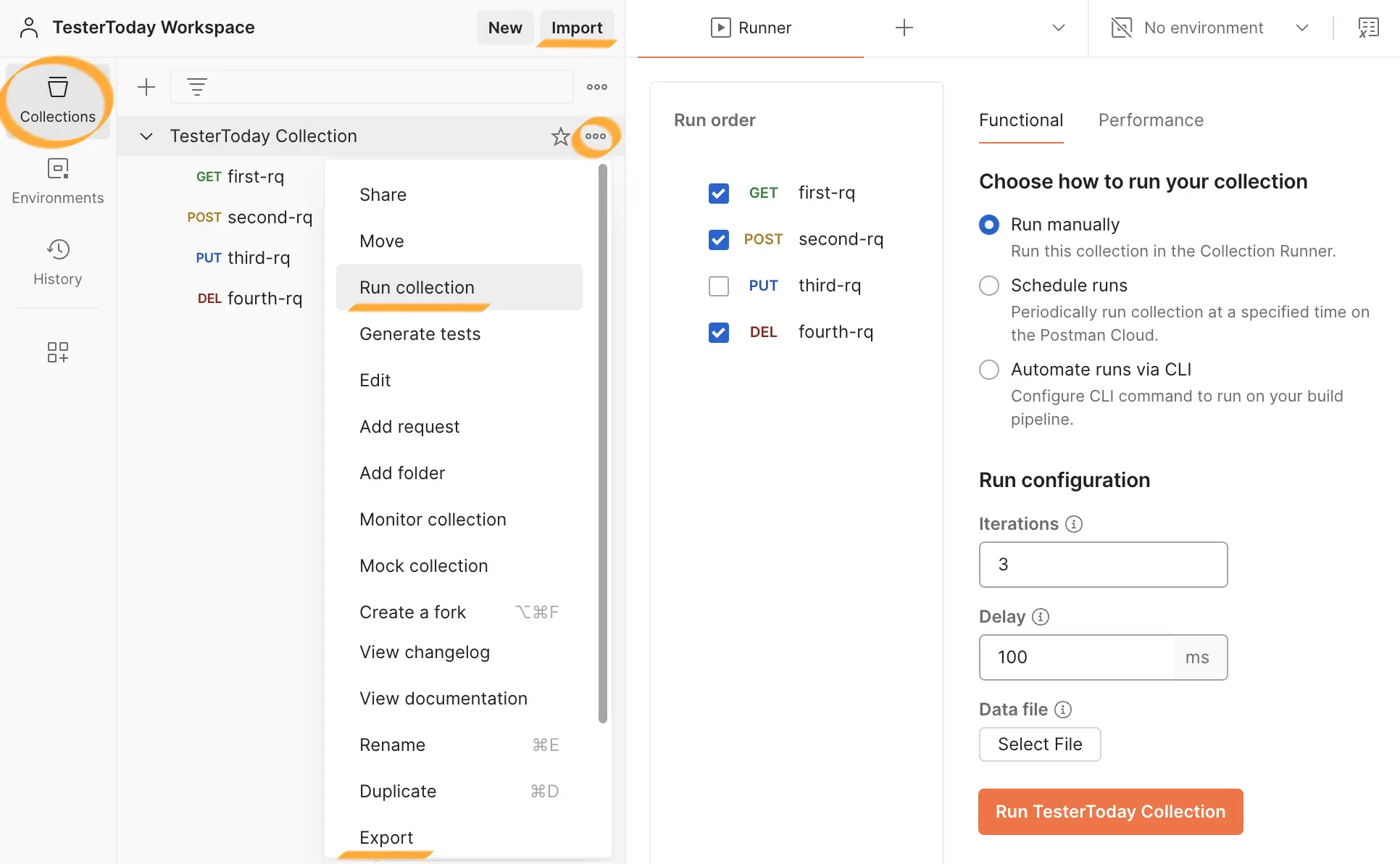
Collections allow you to group requests and run them by clicking the
You can configure the number of iterations (Iterations), delay (Delay), test data (Data) and schedule the runs (Schedule runs).
You can also simulate load by running collections in the section Performance.
Collections can be exported (Export) and imported (Import) in JSON format, making it easy to share them with colleagues.
The same application may be deployed on several servers for development, integration, system, load testing, and production use.
This means the application exists across multiple environments:
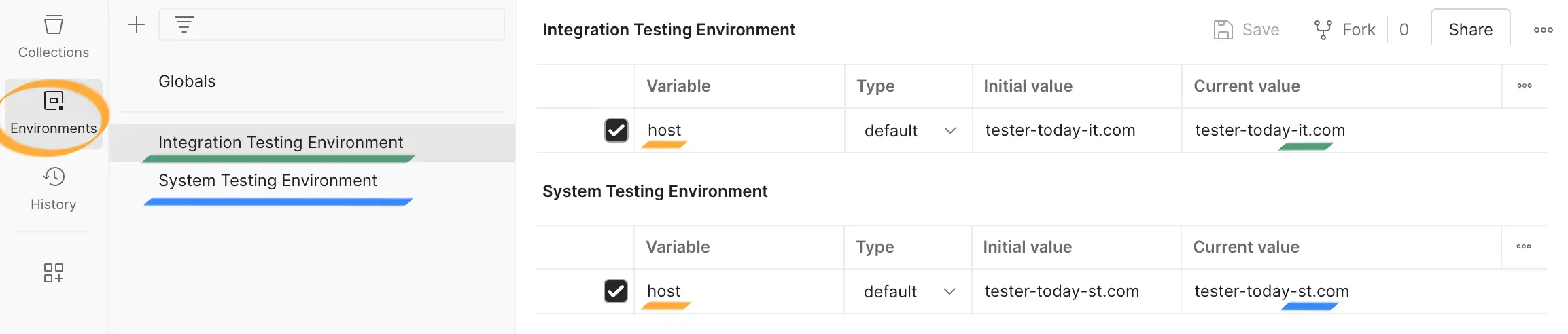
Each environment has its own configuration: application URL, test users, and more.
Environment variables allow you to reuse the same collections for different environments by assigning variable values (Variable) and selecting the environment to use, for example, System Testing Environment.
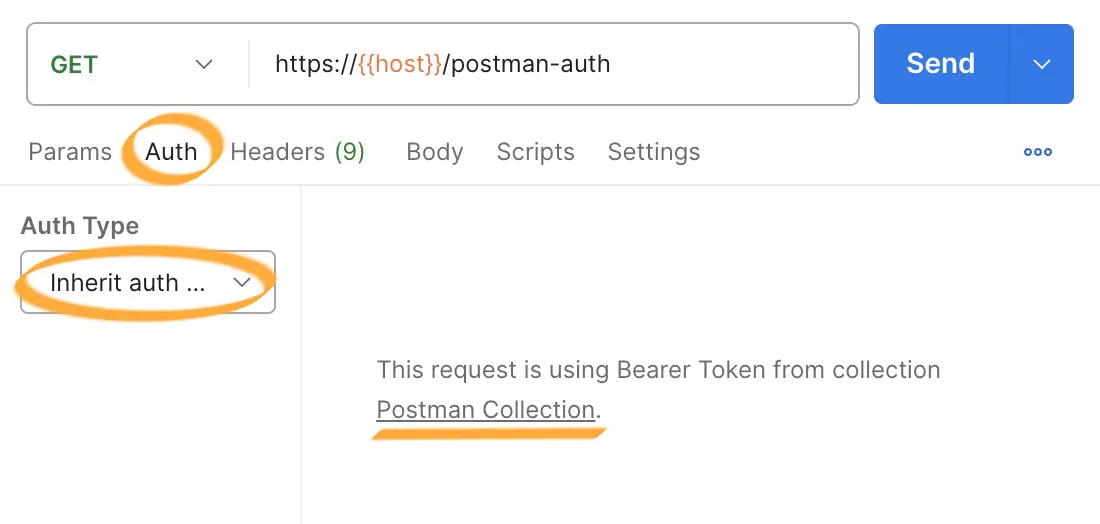
The authorization tab allows you to select the authorization type and user data via a graphical interface. Authorization can be set at the collection level; in this case, requests will inherit the authorization type by default as 'Inherit auth from parent'.
Pay attention to the host variable when specifying the URL — its value will be substituted automatically based on the selected environment.
Let’s make the task more challenging — this time, access to the resource is limited by permissions (see Authorization). The request must include the user's authentication data.
Send a request using the following API details:
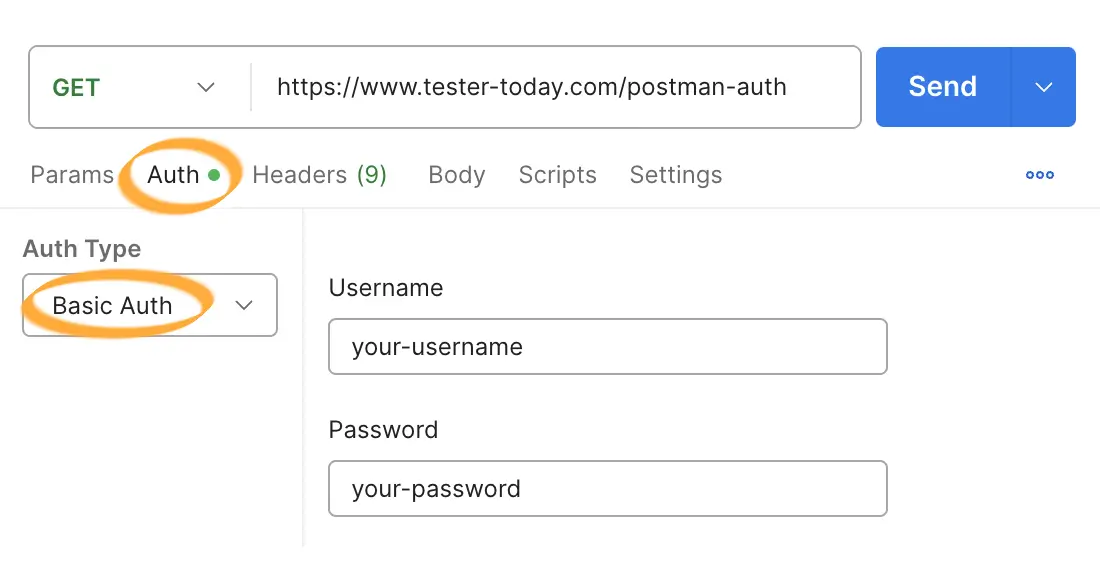
Use your account credentials for authentication.
Only users with a premium account have access to this resource.
Level up!