
In non-functional testing, a tester checks performance, security, reliability, and other quality attributes of a system.
Let’s cover:
In non-functional testing, a tester checks performance, security, reliability, and other quality attributes of a system.
Let’s cover:
Non-functional requirements describe characteristics and constraints that are not directly related to functionality and focus on the quality aspects of a system.
Performance
Security
Reliability
Scalability
Just like functional requirements, non-functional requirements are usually documented in a specification.
2. Non-functional requirements
2.1 Performance
Server response time must not exceed
500 milliseconds.
2.2 Security
Authentication must use a
JWT
token signed with the
HMAC SHA-256.
Data transfer between the client and the server must be secured with
TLS 1.2
or higher.
2.3 Reliability
The system must be available at least
99.0 %
of the time per calendar month, excluding scheduled maintenance. Total downtime must not exceed
7 hours and 18 minutes per month.
2.4 Scalability
As the load increases, the system must automatically scale out by increasing the number of application instances.
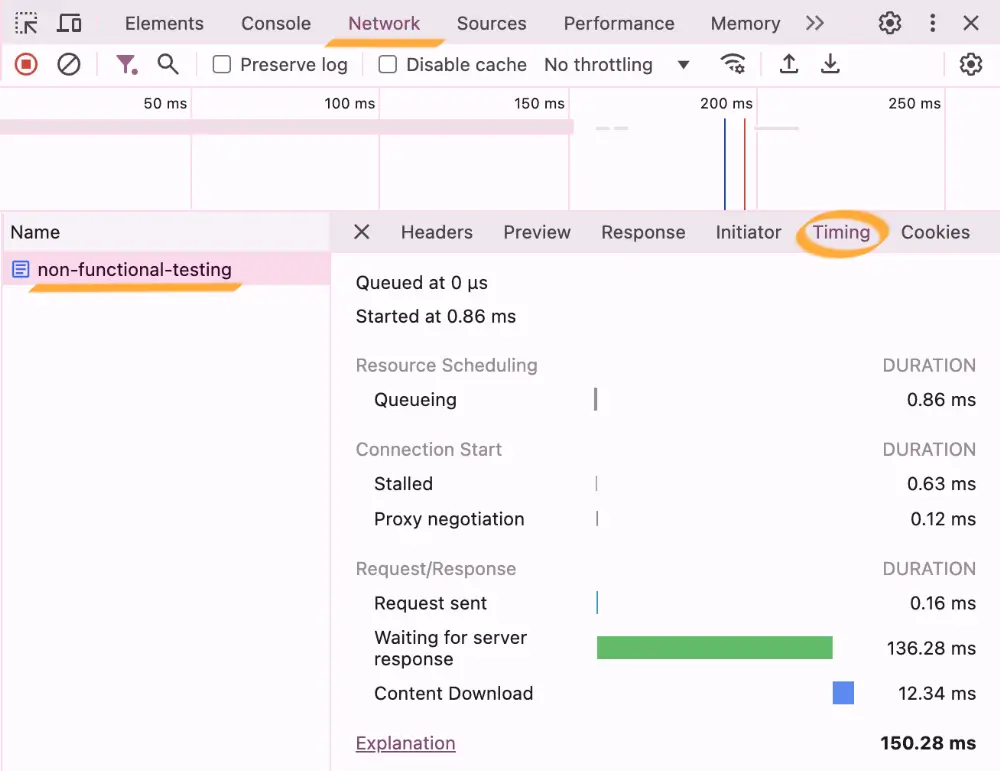
DevTools Timing helps you analyse the performance of network requests.
Pay attention to the Waiting for server response — this is the server response delay (latency).
Level up!