
In black-box testing we only have access to the external interface, through which we interact with an application.
We don’t have access to the source code. So we will rely on requirements and explore testing techniques that help us uncover defects.
In black-box testing we only have access to the external interface, through which we interact with an application.
We don’t have access to the source code. So we will rely on requirements and explore testing techniques that help us uncover defects.
The interface is the outer layer that allows users to interact with an application.
Let’s compare two such interfaces: GUI (Graphical User Interface) and CLI (Command Line Interface).
We fill in the form through the application's graphical interface.
When we click “Submit”, an HTTP POST request with a JSON body is sent.
The details of the HTTP request are hidden from us as users.
But if we want, we can inspect them usingDevTools → Network
tester-today@pc ~ % curl \
https://www.tester-today.com/endpoint \
-H "Content-Type: application/json" \
-X POST \
-d '{"name":"Mia"}'
The same request can be sent using the curl tool in the CLI.
To open the console:
curl — a cross-platform tool preinstalled in most distributions.
You can download it from the official website.
Let’s look at two techniques that will help us test a GUI application «Rate your mood today» which accepts values from 1 to 100 inclusive.
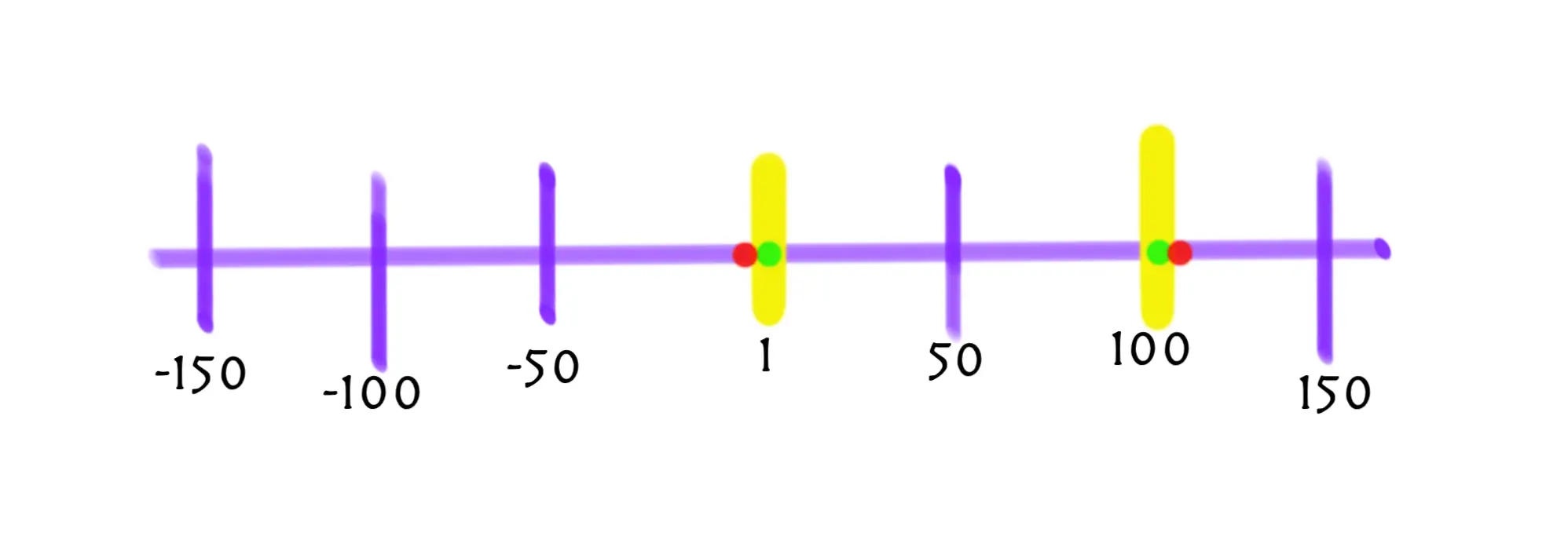
Boundary value analysis focuses on selecting values at the edge between valid and invalid inputs.
Let’s identify boundary values for the program «Rate your mood today»:
Defects often occur at boundaries because programs are usually written to correctly handle typical values within the valid range, while edge cases may trigger unexpected behavior.
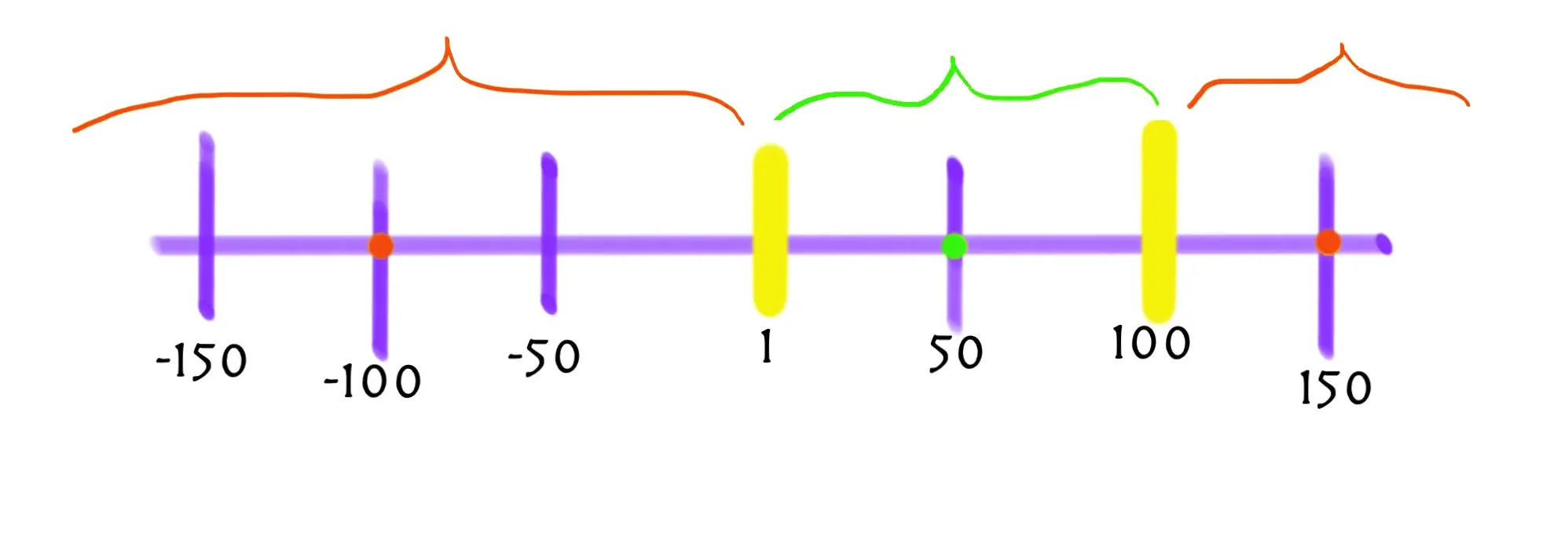
Equivalence partitioning involves splitting all possible inputs into groups based on the requirements.
The program accepts values from 1 to 100 inclusive, so we can split inputs into three equivalence classes:
This technique reduces the number of test cases because instead of testing each possible value, we select representative ones from each class.
The requirements were updated: the program now returns different messages for acceptable mood values below 50 and from 50 inclusive. Try the form and extend the checks to cover all boundaries and equivalence classes.
Level up!